Monday, 8 July 2013

Installing ARACHNI - Web Application Security Scanner

Free, Open Source, Simple, Distributed, Intelligent, Powerful, Friendly.

"Arachni is an Open Source, feature-full, modular, high-performance Ruby framework aimed towards helping penetration testers and administrators evaluate the security of web applications. 

It is smart, it trains itself by learning from the HTTP responses it receives during the audit process and is able to perform meta-analysis using a number of factors in order to correctly assess the trustworthiness of results and intelligently identify false-positives. 

It is versatile enough to cover a great deal of use cases, ranging from a simple command line scanner utility, to a global high performance grid of scanners, to a Ruby library allowing for scripted audits, to a multi-user multi-scan web collaboration platform".- http://www.arachni-scanner.com/


By default, BackTrack does not come with Arachni. So first things first, we will need to download the package first to install.

#wget http://downloads.arachni-scanner.com/arachni-0.4.3-0.4.1-linux-x86_64.tar.gz

Extract the package by doing a 
#tar xvzf arachni-0.4.3-0.4.1-linux-x86_64.tar.gz

Once extracted, go into the folder
#cd arachni-0.4.3-0.4.1/bin/


Doing a #ls will list down the files inside the folder


To start the Arachni Web service, do a 
#./arachni_web

Fire up your Firefox and do a 
http://localhost:9292
*Note: There are some instance where arachni will provide a different port. Look at the output
>>>Listening on 0.0.0.0:9292 (this is where it will show what port it is using)
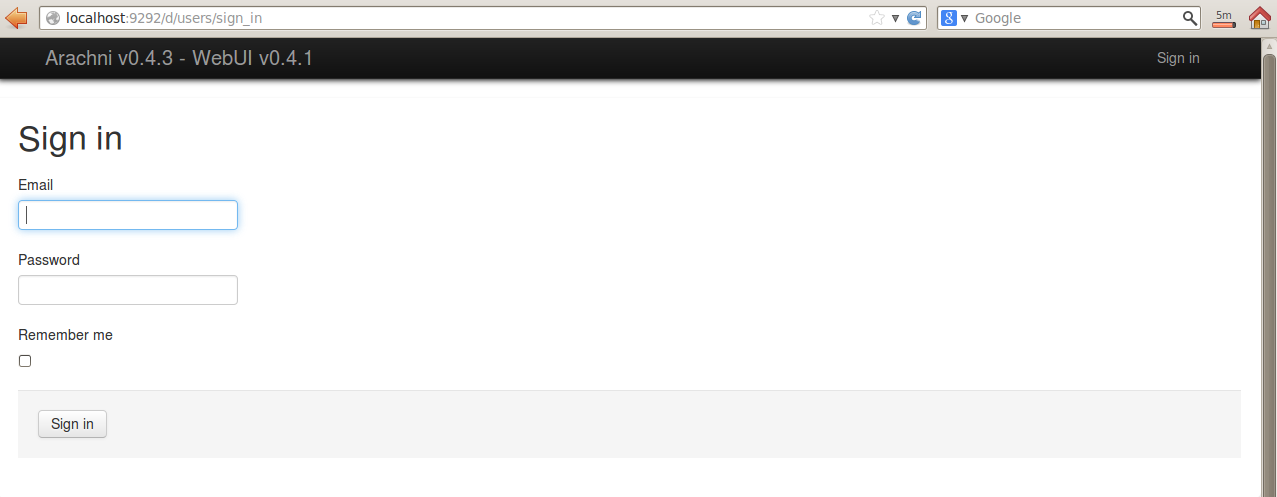

You need to sign in and by default, the user name and password are inside the 'README' file


Read the 'README' file by doing a 
#less README


Input the credentials and you are now ready to use Arachni!


SWF files - How to Extract Them using Firefox

There are times when you want to extract the SWF files to analyze and check the codes of it. This kind of analysis requires you to decompile the SWF file so that you can view the source codes. However, not many know how to extract the SWF files from a flash embedded website. This post will guide you on how to extract the SWF files by using Firefox.


Using Firefox, go to any website that has a flash application


Once loaded, on Firefox, click Tools > Page Info

Click Media and you can see the url of the .swf file. To extract it, click Save As..


Save the .swf files to your computer for offline analysis.


Do check out my previous post on how to analyze Flash applications:


Sunday, 7 July 2013

Being featured in The New Paper.

Flashback Wednesday, July 7, 2010.

Being featured in The New Paper.


Selected by the school and lecturers, i was chosen to be interviewed by TNP to help promote the Course that i am currently taking, Cyber Forensics, Information Security Management and Business Information System. SMA is a good school and i highly recommend it... Alhamdulilah, my classmates call me a 'high flyer' and my lecturers label me as a Distinction student. 

Saturday, 6 July 2013

Websploit on BackTrack5r3 - Updating Websploit and its Framework

Websploit  is the Metasploit version for Web Application. It can scan, crawl and exploit vulnerable websites using its database of payloads. 


Fire up Websploit:
#cd /pentest/exploits/websploit
#./websploit


Now close the terminal and let's upgrade the Websploit
#apt-get install websploit


After the upgrade, we run websploit again 
#./websploit
And we can see now that its upgraded to the latest version


To see the list of options, type
> help


Lets update the Websploit framework
> update


After you updated it, you may notice that when you run # ./websploit again, you get the error 'Permission Denied'


To solve this, simply do (this is to provide permission to the program)
#chmod a+x websploit


And when you execute # ./websploit again, you are back in business.


Get Websploit from:

Wednesday, 3 July 2013

$5000 to $50 - Tampering/Manipulating Data on Poorly Designed Website

While i was checking out tools to perform assessment on Web applications, i stumbled upon two addons that can be used to manipulate and change data via the http header. So decided to test it out and blog about it.


Let's try to purchase a laptop costing thousand of dollars on this site: 
http://www.bayden.com/sandbox/shop/


When you click Checkout, the price is $1095.00


-------------------------------------------------------------------------------------------------------

For Internet Explorer 

"TamperIE Web Security Tool is a small utility that enables HTML-form tampering for penetration testing of web applications. TamperIE is an Internet Explorer Browser Helper Object which allows tampering with HTTP requests from Internet Explorer 5 and above. TamperIE is a useful tool for security testing your web applications, in order to ensure you don't make foolish assumptions about the data sent by client browsers. Since the tool exposes and allows tampering with otherwise inconvenient input, many user-input security flaws immediately become apparent. SSL? TamperIE works inside IE itself, before data is placed on the wire; this means that it works fine even against SSL secured sites." - http://tamperie-web-security-tool.findmysoft.com/

Download the addon called TamperIE from:
http://www.softpedia.com/get/Tweak/Browser-Tweak/TamperIE-Web-Security-Tool.shtml
 

Open the Control Panel and click the first Option


Browse back to the website and click Check Out


TamperIE will pop up and show you the values and data it is going to send. Notice that the value here is 1065.00. Lets change that shall we?


In this example, we will choose 50.00. Then click on the 'Send altered data'


When you check out, the price will change to $50 instead of the original $1065.00!!


-------------------------------------------------------------------------------------------------

For Firefox

"About this Add-on: Use tamperdata to view and modify HTTP/HTTPS headers and post parameters. Trace and time http response/requests. Security test web applications by modifying POST parameters." - https://addons.mozilla.org/en-us/firefox/addon/tamper-data/


There is a tool called Tamper Data you can download from:
https://addons.mozilla.org/en-us/firefox/addon/tamper-data/eula/79565?src=dp-btn-primary


Once installed, go to Tools and click on Tamper Data


Click Start Tamper. This will monitor any incoming and outgoing request.


Now go back to the Shopping website and click Check out, a pop up will appear whether you want to Tamper the data or not. Click Tamper


Change the original value to 50.00 and click Ok


There you go... your laptop is now $50!!


Note: The site http://www.bayden.com/sandbox/shop/ is a site for testing, made available for those who wants to perform a POC (proof of concept) on this security issue.

Tuesday, 2 July 2013

Penetration Testing Flex/Flash Web App - The Relaxing Way

HP SWFScan, a free tool developed by HP Web Security Research Group, will automatically find security vulnerabilities in applications built on the Flash platform.

*Disclaimer: I am not a Web Developer or an expert for Adobe Flash/Flex but i received a Web App engagement involving a website that uses only Adobe Flash/Flex hence my search thru the internet to find the easiest way to analyze flash/flex codes....

Download the SWFScan from here:
http://h30499.www3.hp.com/t5/Following-the-Wh1t3-Rabbit/SWFScan-FREE-Flash-decompiler/ba-p/5440167#.UdLgmvlvDO0


Run the SWFscan.exe


The options and the list of checks


Input the URL with the extension .swf and click Get. It will decompile the .swf file and list down the codes. You could also provide the path of the extracted .swf files. To do that, refer to this:
http://securityg33k.blogspot.sg/2013/07/swf-files-how-to-extract-them-using.html


If the link placed has no .swf as the extension, you will get the following error.


To analyze the codes, simply click Analyze


When analysis has been performed, it will highlight the lines on the left in Red. Clicking on it will show the possible vulnerability in the codes. One the right pane, it also shows the Summary of the vulnerability, the fix and the references that we can refer to.


Other than that, SWFScan can perform the following as well
- Export the Source Code
- Export the URLs
- Create Vulnerability Report


More info:

SWFtools - How to Install on BackTrack 5r3

"SWFTools is a collection of utilities for working with Adobe Flash files (SWF files). The tool collection includes programs for reading SWF files, combining them, and creating them from other content (like images, sound files, videos or sourcecode). SWFTools is released under the GPL." - http://www.swftools.org/


1) Download the latest swftools using the wget command.
#wget http://www.swftools.org/swftools-2013-04-09-1007.tar.gz

2) Alternately you can download it from
http://www.swftools.org/download.html


3) Extract/Untar the package.
#tar xvzf swftools-2013-04-09-1007.tar.gz

4) Go to the folder of the extracted package
#cd swftools-2013-04-09-1007

5) Configuring the package
#./configure

6) Compile the package
#make

7) Install the program
#make install

8) Run swfdump
#swfdump


More information on SWFTools

More information on installing SWFTools in Linux