Showing posts with label web app. Show all posts

Tuesday, 3 September 2013

SANS542 GWAPT CTF - WON!!!

So after an intensive theory/practical classes, the 6th day is where the knowledge starts to apply! CTF! The reward: a limited edition SANS medal coin! The medal is only given to those who managed to win the Capture the Flag competition and yes, it is a big deal to bring back a glory for the team and company after spending so much for the training in Bangkok, Thailand.

It wasn't an easy competition. The flags were to Social Security Numbers, Addresses, Bank Accounts and its balances. We had to think outside of the box to capture a flag like for example, after using Nikto, we found ourselves staring blank at the result until one of us viewed the source code of the results and PING! we found a flag!

It wasn't easy to be honest, and while i tried to use commercial tools to cheat my way to win, eventually, it couldn't find anything. Tools that were used during the CTF were

1) NMAP
2) CEWL
3) Burpsuite (lots and lots of it)
4) Nikto
5) Your creativity

It was a great team effort and we finally pulled it off! Got all 3 flags. And well, here it is:

SANS Thailand 2013
Web App Penetration Testing and Ethical Hacking (SEC542)
August 26-31.2013
Bangkok

My team mate and my laptop...


This is my first time winning a Capture the Flag event and looking forward to more such competitions in the future. 

Monday, 26 August 2013

SANS 542 - Web Application Penetration Testing: Day 1

SANS 542.1
The Attacker's View of the Web


Location: Bangkok's Crowne Plaza Hotel

Topics covered during Day 1:

>Setting up Samurai WTF
> Web Site Server Architecture
>Understanding HTTP protocol
>Pentesting Types and Methods
>Components of Web App pentest
>Reports of findings
>Attack Methodology
>Types of Flaws
>Javascript

While many of the day 1 lesson covered i already have the knowledge, there were also many that i learnt such as analyzing HTTP using Wireshark and Paros Proxy. Also i learnt how to decrypt HTTPS communication using Wireshark. Basic Javascript attacks such as XSS were introduced and will be covered more in the other days and im so looking forward for that! The trainer was from Belgium and he had a great command of the English language that could easily understood. Can't wait for day 2.

Monday, 8 July 2013

Installing ARACHNI - Web Application Security Scanner

Free, Open Source, Simple, Distributed, Intelligent, Powerful, Friendly.

"Arachni is an Open Source, feature-full, modular, high-performance Ruby framework aimed towards helping penetration testers and administrators evaluate the security of web applications. 

It is smart, it trains itself by learning from the HTTP responses it receives during the audit process and is able to perform meta-analysis using a number of factors in order to correctly assess the trustworthiness of results and intelligently identify false-positives. 

It is versatile enough to cover a great deal of use cases, ranging from a simple command line scanner utility, to a global high performance grid of scanners, to a Ruby library allowing for scripted audits, to a multi-user multi-scan web collaboration platform".- http://www.arachni-scanner.com/


By default, BackTrack does not come with Arachni. So first things first, we will need to download the package first to install.

#wget http://downloads.arachni-scanner.com/arachni-0.4.3-0.4.1-linux-x86_64.tar.gz

Extract the package by doing a 
#tar xvzf arachni-0.4.3-0.4.1-linux-x86_64.tar.gz

Once extracted, go into the folder
#cd arachni-0.4.3-0.4.1/bin/


Doing a #ls will list down the files inside the folder


To start the Arachni Web service, do a 
#./arachni_web

Fire up your Firefox and do a 
http://localhost:9292
*Note: There are some instance where arachni will provide a different port. Look at the output
>>>Listening on 0.0.0.0:9292 (this is where it will show what port it is using)


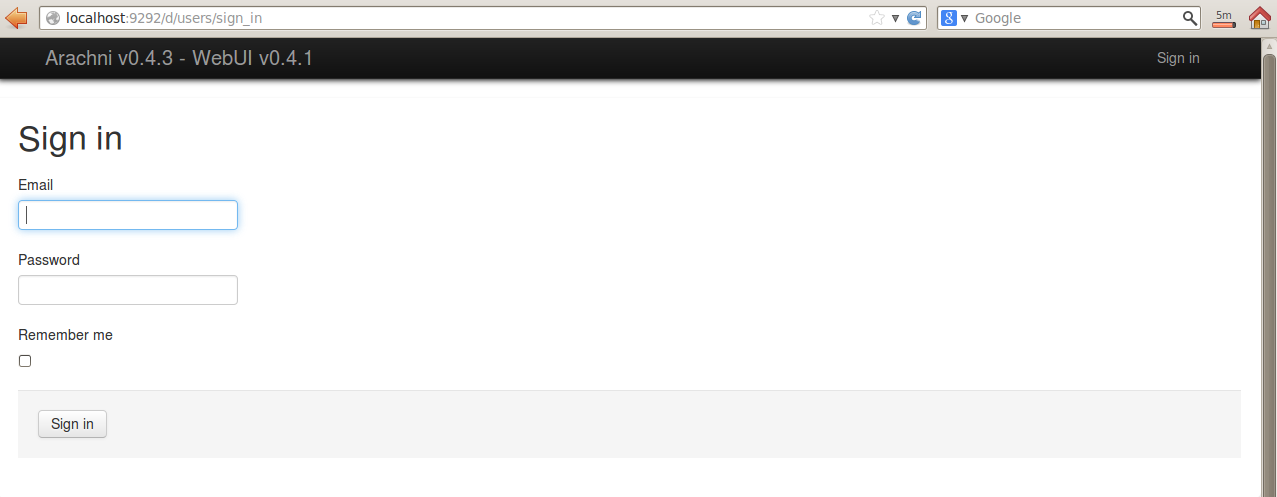
You need to sign in and by default, the user name and password are inside the 'README' file


Read the 'README' file by doing a 
#less README


Input the credentials and you are now ready to use Arachni!


Saturday, 6 July 2013

Websploit on BackTrack5r3 - Updating Websploit and its Framework

Websploit  is the Metasploit version for Web Application. It can scan, crawl and exploit vulnerable websites using its database of payloads. 


Fire up Websploit:
#cd /pentest/exploits/websploit
#./websploit


Now close the terminal and let's upgrade the Websploit
#apt-get install websploit


After the upgrade, we run websploit again 
#./websploit
And we can see now that its upgraded to the latest version


To see the list of options, type
> help


Lets update the Websploit framework
> update


After you updated it, you may notice that when you run # ./websploit again, you get the error 'Permission Denied'


To solve this, simply do (this is to provide permission to the program)
#chmod a+x websploit


And when you execute # ./websploit again, you are back in business.


Get Websploit from: