Showing posts with label backtrack. Show all posts

Wednesday, 7 August 2013

Published Article: AV Evasion

Another article published by PenTest magazine! 


In this article, i demonstrate an end to end process on how to create a malware using open source tools and used it to avoid being detected by Anti Virus applications. However, besides demonstrating on how to evade them, i also described on how to prevent against such things using additional features from AV vendors.


The Cover Page


The First Page

The Last Page


The full article/magazine can be downloaded for free at

Friday, 12 July 2013

Data Manipulation - Intercepting HTTP Traffic using Burp Suite Proxy

"Burp Suite is an integrated platform for performing security testing of web applications. Its various tools work seamlessly together to support the entire testing process, from initial mapping and analysis of an application's attack surface, through to finding and exploiting security vulnerabilities." - http://www.portswigger.net/burp/


Open Burpsuite in BackTrack


Click on the Proxy tab. By default, the settings is set to listening on port 8080.


Next, go to your browser and set your proxy settings to 127.0.0.1:8080


In this example, we are going to use a weakly configured test website to demonstrate what Burp Suite Proxy can do.
On your browser, go to www.bayden.com/sandbox/shop/ and click enter. You will notice that the website is trying to load..


Now, on Burp Suite, you will see that the traffic has been intercepted. You can see the data it is withholding. Click Forward to allow the traffic to go through.


On your browser, you will notice that the website now has loaded properly. Check out the price for the laptop... it costs $1095. 
Let's try to change that shall we? Let's order 3 sets of it and click on Check Out.


On the Burp Suite Proxy, you will notice the HTTP traffic and what can we see here is the price of the laptop.


In the Params tab, you can see in a better format the cost of the laptop.


Let's change the price and put it to 65.00. Once changed, click forward.


And now you notice that you have successfully purchase 3 laptops for only $195.


------------------------------------------------------------------------------------------------------

Note: The site http://www.bayden.com/sandbox/shop/ is a site for testing, made available for those who wants to perform a POC (proof of concept) on this security issue.


Check out my previous blogpost on how to perform the same thing on Firefox and IE browser here: http://securityg33k.blogspot.sg/2013/07/5000-to-50-tamperingmanipulating-data.html

Monday, 8 July 2013

Installing ARACHNI - Web Application Security Scanner

Free, Open Source, Simple, Distributed, Intelligent, Powerful, Friendly.

"Arachni is an Open Source, feature-full, modular, high-performance Ruby framework aimed towards helping penetration testers and administrators evaluate the security of web applications. 

It is smart, it trains itself by learning from the HTTP responses it receives during the audit process and is able to perform meta-analysis using a number of factors in order to correctly assess the trustworthiness of results and intelligently identify false-positives. 

It is versatile enough to cover a great deal of use cases, ranging from a simple command line scanner utility, to a global high performance grid of scanners, to a Ruby library allowing for scripted audits, to a multi-user multi-scan web collaboration platform".- http://www.arachni-scanner.com/


By default, BackTrack does not come with Arachni. So first things first, we will need to download the package first to install.

#wget http://downloads.arachni-scanner.com/arachni-0.4.3-0.4.1-linux-x86_64.tar.gz

Extract the package by doing a 
#tar xvzf arachni-0.4.3-0.4.1-linux-x86_64.tar.gz

Once extracted, go into the folder
#cd arachni-0.4.3-0.4.1/bin/


Doing a #ls will list down the files inside the folder


To start the Arachni Web service, do a 
#./arachni_web

Fire up your Firefox and do a 
http://localhost:9292
*Note: There are some instance where arachni will provide a different port. Look at the output
>>>Listening on 0.0.0.0:9292 (this is where it will show what port it is using)


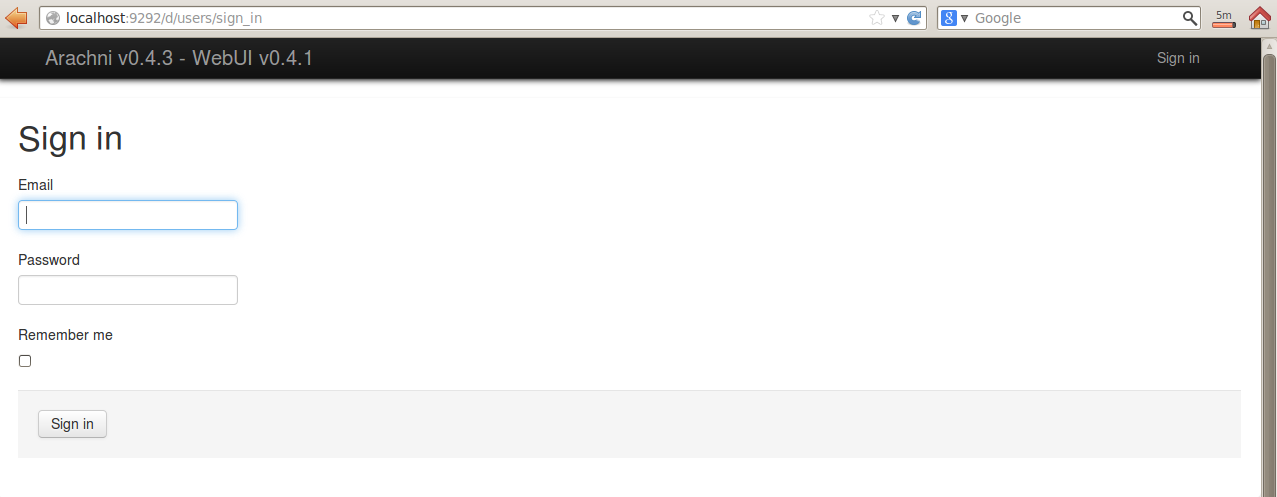
You need to sign in and by default, the user name and password are inside the 'README' file


Read the 'README' file by doing a 
#less README


Input the credentials and you are now ready to use Arachni!


Saturday, 6 July 2013

Websploit on BackTrack5r3 - Updating Websploit and its Framework

Websploit  is the Metasploit version for Web Application. It can scan, crawl and exploit vulnerable websites using its database of payloads. 


Fire up Websploit:
#cd /pentest/exploits/websploit
#./websploit


Now close the terminal and let's upgrade the Websploit
#apt-get install websploit


After the upgrade, we run websploit again 
#./websploit
And we can see now that its upgraded to the latest version


To see the list of options, type
> help


Lets update the Websploit framework
> update


After you updated it, you may notice that when you run # ./websploit again, you get the error 'Permission Denied'


To solve this, simply do (this is to provide permission to the program)
#chmod a+x websploit


And when you execute # ./websploit again, you are back in business.


Get Websploit from: